
Running a small business means wearing a dozen hats at once, and social media has somehow become the hat that never comes off. You need to post consistently on Instagram, respond to comments on Facebook, share updates on LinkedIn, and somehow find time to actually run your business. Most guides hand you a list of tools and call it done. This one goes further: we walk you through a structured, practical process that saves time, reduces stress, and produces measurable results, whether you are a solo consultant or a small team juggling multiple client accounts.
Table of Contents
- Assess your needs and social media goals
- Choose your social media management tools wisely
- Set up a streamlined social media workflow
- Track results and refine your approach
- What most guides overlook about real-world social media management
- Take control with the right social media kit
- Frequently asked questions
Key Takeaways
| Point | Details |
|---|---|
| Match tools to goals | Choose management software that fits your team size, workflow, and security needs. |
| Streamline your workflow | Use templates, bulk scheduling, and regular review to save time and increase consistency. |
| Track and refine | Monitor key social metrics monthly to spot what’s working and adjust your approach. |
| Plan for real life | Build error tolerance and role-matching into your processes to handle everyday challenges. |
Assess your needs and social media goals
Before you download a single app or sign up for a free trial, you need to know what you are actually trying to achieve. This sounds obvious, but most small business owners skip this step and end up paying for tools that do not match their real needs.
Start by writing down your core business objectives. Are you trying to build brand awareness in a local area? Generate leads for a service? Provide customer support through social channels? Each goal calls for a different approach. A consultant building a personal brand needs LinkedIn and thought leadership content. A local café needs Instagram and Facebook with strong visual posts and community engagement. Mixing these up wastes both time and money.
Next, list every platform you are currently active on and note who has access to each account. This is where many small businesses discover a quiet mess: a former employee still has the Instagram password, the Facebook page has three admins nobody recognises, and the Twitter account has not been touched in eight months. As edge case design research highlights, shared accounts, bad actors, and account switching need easy management because real life is messy, not tidy.
Key questions to answer before choosing any tool:
- Which platforms actually drive results for your business right now?
- Who on your team needs access, and at what level of permission?
- How much time per week can you realistically dedicate to social media?
- What does success look like in three months? Six months?
- Are you managing your own accounts, client accounts, or both?
Pro Tip: Set one specific, measurable goal per platform. For example, “grow Instagram followers by 15% in 90 days” or “generate five qualified leads per month via LinkedIn.” Vague goals produce vague results.
Once you have answered these questions honestly, you have a foundation. Everything else, tool selection, content planning, team structure, builds on this clarity.
Choose your social media management tools wisely
The tool market is crowded, and the pricing models have shifted significantly. All-in-one tools like Hootsuite remain efficient but have become expensive post-2024, with plans starting around $99 per month, while Buffer offers a more affordable entry point at roughly $6 per channel for solo users. Your choice should be driven by team size, budget, and the complexity of your workflow.
Here is a straightforward comparison to help you decide:
| Feature | All-in-one suite | Specialised app | EasiSocial kit |
|---|---|---|---|
| Post scheduling | Yes | Sometimes | Yes |
| Analytics dashboard | Advanced | Basic | Yes |
| Team permissions | Yes | Rarely | Yes |
| Account switching | Easy | Manual | Easy |
| Cost for small teams | High ($99+/mo) | Low ($6+/channel) | Affordable |
| Learning curve | Steep | Low | Low |
The biggest mistake small business owners make is choosing the most feature-rich tool rather than the most appropriate one. A solo consultant does not need enterprise-level workflows. A five-person agency, however, absolutely needs team permissions, approval workflows, and a clear audit trail of who posted what and when.
When evaluating any tool, look beyond the headline features. Ask: how easy is it to switch between accounts? Can you revoke access instantly if a team member leaves? Does the tool support the video formats for marketers your audience expects on each platform? Video is now the dominant content format across nearly every major network, and your tool needs to handle it without friction.
Non-negotiable features for small business social media tools:
- Bulk scheduling across multiple platforms from one dashboard
- Role-based permissions so team members only access what they need
- A unified inbox for monitoring comments, messages, and mentions
- Basic analytics showing reach, engagement, and click-through rates
- Mobile access for posting and monitoring on the go
If you want to see how a purpose-built all-in-one management kit stacks up against the alternatives, it is worth doing a direct platform comparison before committing to a monthly subscription.
Pro Tip: Take advantage of free trials, but test them with real content and real team members. A tool that looks great in a demo may frustrate your team in practice. Give it two full weeks of genuine use before deciding.
Set up a streamlined social media workflow
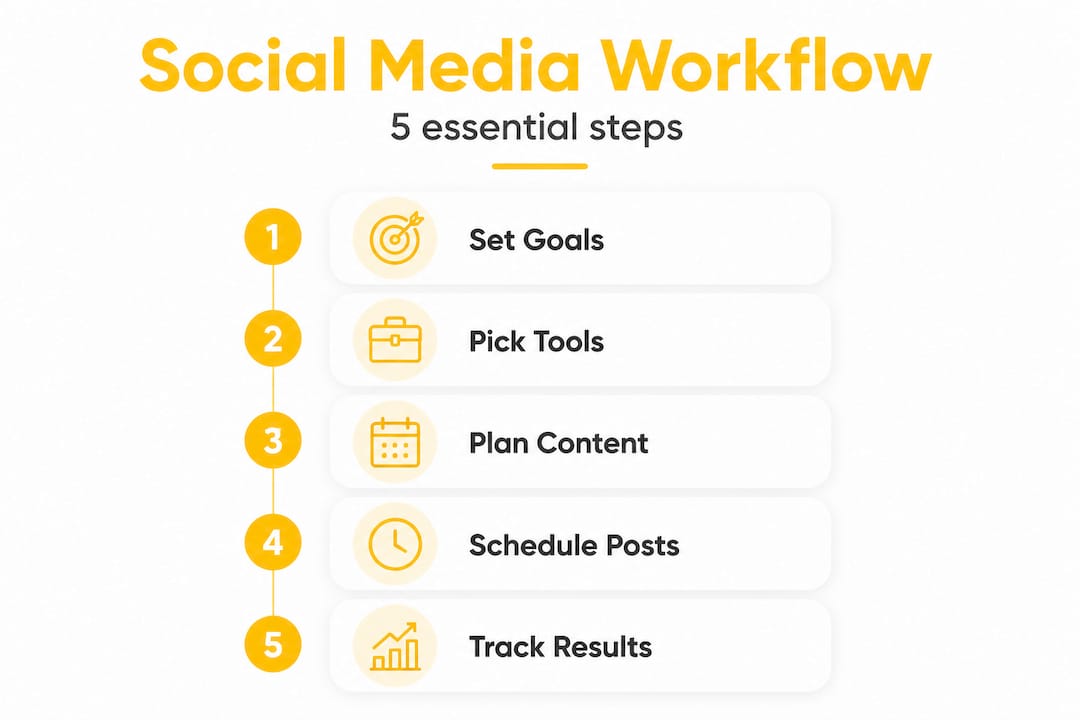
Choosing the right tool is only half the battle. Without a clear workflow, even the best platform becomes another source of chaos. A workflow is simply a repeatable process that takes content from idea to published post without confusion or dropped balls.
Here is a practical weekly workflow structure for a small business or consultant managing two to four platforms:
- Monday: Plan the week. Review your content calendar, confirm scheduled posts, and identify any gaps. Check for upcoming events, product launches, or seasonal moments worth addressing.
- Tuesday to Thursday: Create and schedule content. Write captions, source or create visuals, and select the right video format selection for each platform. Schedule everything at least two days in advance.
- Daily (15 minutes): Community management. Respond to comments, answer messages, and engage with relevant posts in your niche. This is not optional. Engagement drives reach on every major algorithm.
- Friday: Review the week. Check what performed well, note any audience questions worth turning into content, and flag anything that needs a response over the weekend.
- Monthly: Strategy review. Pull your analytics report, compare against your goals, and adjust the plan for the following month.
The content calendar is the backbone of this workflow. It does not need to be complicated. A simple spreadsheet with columns for platform, date, content type, caption, and status is enough to keep a small team aligned. If you want a head start, a workflow sample can give you a ready-made structure to adapt.
| Content type | Ideal frequency | Best platforms | Preparation time |
|---|---|---|---|
| Short video (Reels/TikTok) | 3 to 5 times per week | Instagram, TikTok, YouTube | 1 to 2 hours |
| Static image post | 3 to 4 times per week | Instagram, Facebook, LinkedIn | 30 to 60 minutes |
| Text update or thread | 4 to 5 times per week | LinkedIn, X (Twitter) | 15 to 30 minutes |
| Stories | Daily | Instagram, Facebook | 10 to 20 minutes |
| Long-form video | Once per week | YouTube, LinkedIn | 3 to 5 hours |
One often-overlooked element of workflow is account access management. If two people are scheduling posts and neither knows what the other has queued, you end up with duplicate content or awkward gaps. Assign clear ownership: one person schedules, one person approves, and one person monitors. Even in a two-person team, this separation prevents errors.

Pro Tip: Use content templates for recurring post types. A weekly “tip” post, a monthly client spotlight, and a Friday question all follow the same structure each time. Templates cut creation time by up to 50% and keep your brand voice consistent.
Track results and refine your approach
A solid workflow is only as good as the results it brings. Without tracking, you are essentially posting into the void and hoping something sticks. The good news is that you do not need to track everything. You need to track the right things.
Focus on these metrics first:
- Reach and impressions: How many people are seeing your content? This tells you whether your posting frequency and timing are working.
- Engagement rate: Likes, comments, shares, and saves divided by reach. A high engagement rate on a small audience is far more valuable than a low rate on a large one.
- Click-through rate: For posts with links, how many people actually clicked? This is critical for lead generation goals.
- Follower growth rate: Are you attracting new followers consistently? Sudden drops often signal a content quality issue or an algorithm change.
- Conversion rate: For businesses using social media to drive sales or enquiries, this is the ultimate metric. Track how many social visitors become leads or customers.
“The goal of social media analytics is not to produce reports. It is to answer one question: what should we do differently next month?”
Most management tools provide these metrics in a dashboard. The key is to review them on a regular schedule, not just when something goes wrong. Monthly reviews catch trends early. Quarterly reviews allow for bigger strategic shifts.
All-in-one platforms like Hootsuite provide detailed analytics, but their cost may not suit every budget. If you are looking for a more accessible option, a lifetime deal option can provide long-term value without ongoing subscription costs eating into your margins.
When you spot a post that significantly outperforms your average, do not just celebrate. Reverse-engineer it. What format was it? What time did it go out? What emotion did it tap into? Turn those insights into a repeatable formula.
What most guides overlook about real-world social media management
Most social media guides are written for ideal conditions. They assume you have a dedicated content creator, a clear brand voice document, and a team that follows processes perfectly. The reality for most small businesses is messier than that.
The real challenges are not strategic. They are operational. Someone posts from the wrong account. A disgruntled former employee still has login access. A scheduled post goes live during a national tragedy because nobody checked the queue. These are not edge cases. They are Tuesday.
As edge case research consistently shows, shared accounts, bad actors, and account switching need to be designed for from the start, not bolted on as an afterthought. The tools and processes you choose must handle these messy realities, not just the clean, planned scenarios.
This is where most small businesses go wrong: they choose tools based on features and price, then discover that the tool makes it genuinely difficult to remove access quickly, recover a deleted post, or see a log of who made changes. An audit trail is not glamorous, but it is essential.
The other thing most guides miss is the importance of matching your process to how your team actually works, not how you wish they worked. If your team communicates via WhatsApp, your content approval process should live there, not in a project management tool nobody opens. If your best content creator works in bursts on Sunday evenings, your scheduling tool needs to accommodate that pattern.
Smarter solutions are built around real business behaviour, not idealised workflows. The best social media management approach is the one your team will actually follow, consistently, under pressure, and on a bad day.
Take control with the right social media kit
Managing social media does not have to feel like a second full-time job. With the right structure and the right tools, you can go from reactive and exhausted to consistent and confident.
The EasiSocial toolkit brings together everything a small business or consultant needs: scheduling, analytics, team permissions, and account management in one straightforward platform. No steep learning curve, no enterprise pricing designed for companies ten times your size. If you are ready to stop cobbling together five different apps and start working from a single, reliable system, explore the full platform features to see how it fits your workflow. And if you want the best long-term value, the lifetime access option removes the ongoing subscription cost entirely, so you can focus your budget on growing your business instead.
Frequently asked questions
What is the best tool for managing multiple social media accounts?
The best tool depends on your team size and budget. All-in-one platforms like Hootsuite are powerful but expensive at $99 per month or more, while Buffer and EasiSocial offer more affordable options for smaller teams and individuals.
How can small businesses avoid social media overwhelm?
Start by setting clear, measurable goals for each platform, then use content templates and scheduled posts to reduce daily decision-making. Automation handles the routine work so you can focus on engagement and strategy.
What should I do if I have multiple people managing our accounts?
Choose a management platform that offers role-based permissions and easy account switching. As edge case design principles show, shared account management needs to be built into your tool from the start to prevent security risks and posting errors.
How often should I review my social media strategy?
Review your analytics and adjust your content approach monthly to catch trends early, and conduct a deeper strategic review quarterly to realign with your broader business goals.
Does video content need special handling on social platforms?
Yes, each platform has distinct requirements for video length, aspect ratio, and file format. Understanding social media video formats for each network ensures your content displays correctly and performs at its best.